Translate page:


Translate page: | | | | | | | | |

|
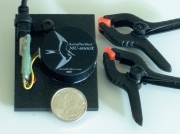
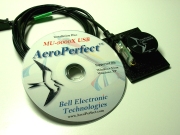
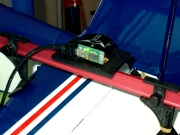
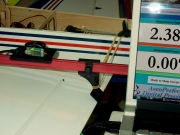
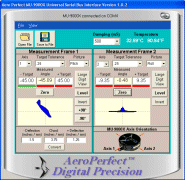
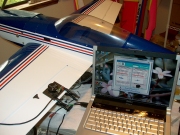
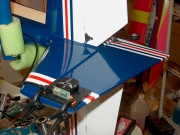
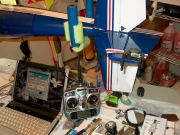
The MU-9000X USB from AeroPerfect™ is a precision angle measurement system which represents the most advanced angle-measuring technology available for R/C aircraft. Any angle on your aircraft can be measured with a resolution of .01 degrees in two axes simultaneously! The angle sensing unit contains a dual-axis, absolute inclinometer which utilizes MEMS (micro electro-mechanical systems) technology to accurately measure angles over the entire 360° range! This advanced MEMS technology allows the sensing unit to be small and light-weight (slightly over 2 ounces including the measurement plates and clamps) making it ideal for setting up and measuring wing incidence / stabilizer incidence, decalage, and control throws on aircraft ranging from park flyer to giant scale. It's also perfectly suited for setting up gliders, sailplanes and smaller electric aircraft conveniently and with great precision. The sensing unit simply plugs into the standard USB port of any laptop or desktop computer running Windows XP, Windows Vista or Windows 7. Angle measurements are sent from the MU-9000X measuring unit to your computer hundreds of times each second! |
(Click Thumbnails for Larger Picture) |
||||||||
(Turn off Pop-up Blocking) |
||||||||
|
|
|
||||||
(Click Thumbnails for Larger Picture) |
||||||||
(Turn off Pop-up Blocking) |
||||||||
|
|
|
||||||
|
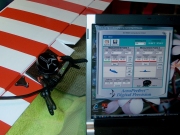
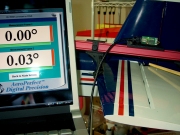
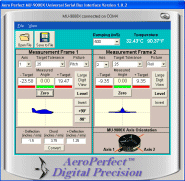
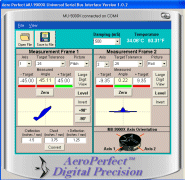
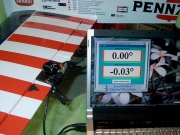
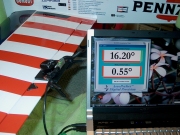
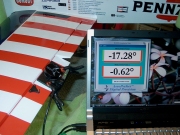
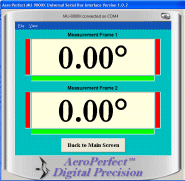
The MU-9000X USB is accompanied by advanced software that provides pilots with many powerful and useful features. A zero reference angle can be set anywhere without the need to level your aircraft first! A single click is all that is needed to set your zero angle reference. And since the display and measuring unit are isolated from one another, there is no chance for interaction when setting zero. Setting control throws for ailerons, elevators, rudder or flaps is a breeze. Setting aileron differential and dual rates is a cinch! Simply set your zero reference angle and key in your desired +/- control throw angles. Use the end-point adjustment on your radio to precisely set your control surface deflection. The MU-9000X USB will let you know when the control surface has reached your desired angle by illuminating a green color bar. You choose when the color bar displays green by how you set the desired angle tolerance from a drop-down menu. A Large Digit View is provided for easy viewing in two measurement axes simultaneously. Measuring engine thrust angle has never been easier! MU-9000X USB's +90 / -90 feature allows you to read engine thrust angle directly from your computer display without having to add or subtract 90 degrees from your measurement! This COMPREHENSIVE REVIEW of the MU-9000X USB was conducted by RC Universe and shows the many advantages and features of this precision setup tool. Please also see this REVIEW done by Fly RC Magazine and this REVIEW done by RC Sport Flyer Magazine.
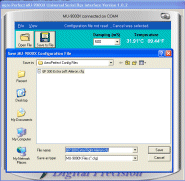
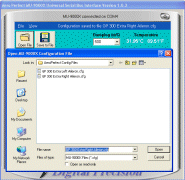
And what if your Aircraft's control surface deflections are expressed in inches or millimeters? The AeroPerfect™ MU-9000X USB's built-in conversion utility will convert from either inches or millimeters (or any linear measurement units) to degrees with a single click! These angles are automatically loaded into the + and - target windows (your desired angles). The MU-9000X USB allows you to keep track of all your aircraft's setups. Simply provide your configuration with a name and save it on your computer (e.g., "GP Extra 300 Left Aileron" or "Pitts Python Upper Wing Incidence"). You can even share your measurement configurations with other AeroPerfect™ users by e-mail! The MU-9000X USB does not suffer from the many shortcomings of other R/C aircraft angle measuring devices. Parallax errors, the need to level your aircraft first, "pendulum oscillation", low battery, excessive weight, lack of useful angular range- are all things of the past! Do you fly pattern or compete? Please read what Two-Time, National AMA Champion Glen Watson says about the MU-9000X USB (Glen has also placed first in over 60 regional events in Intermediate through Masters classes): "I first viewed your product on RC Universe a couple of years ago although not until the other day did I understand the value and capability of your product until after a pattern friend showed me his. Actually I had my number one airplane at his house where we were checking out some electrical things when he showed me his AeroPerfect™ MU-9000X USB. After a short demonstration, he illustrated that my elevator halves were not aligned in the neutral position and were not moving equal distances up and down. I was convinced I had to have one for myself. I ordered the AeroPerfect™ immediately after returning home that evening." Please see Glen Watson's weblog HERE.
| |||||||||||||||||||||||||||||||||||||||||||||||||||||
|
(Click Thumbnails for Larger Picture) |
||||||||
(Turn off Pop-up Blocking) |
||||||||
|
|
|
||||||
MU-9000X USB FAQS |
MU-9000X USB Specifications |
Purchase MU-9000X USB |
Home |
HAPPY FLYING!
© 2008 - 2013, Bell Electronic Technologies All Rights Reserved